
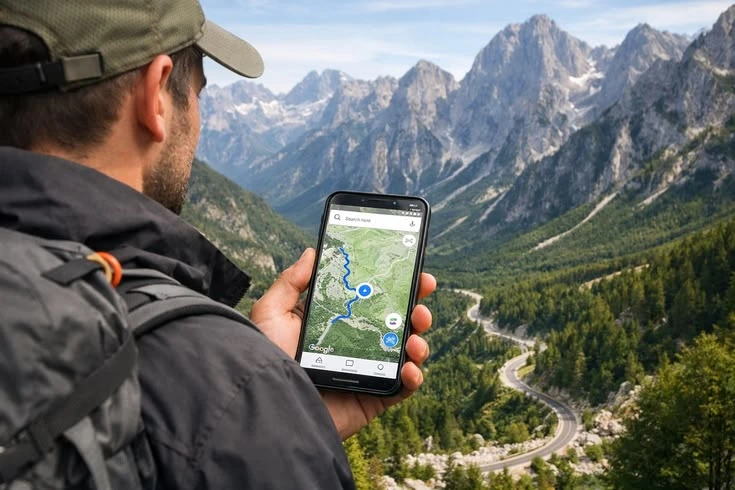
How to Get Internet in Pakistan
Most visitors stay connected through one of three options: a local mobile SIM with a data package, an eSIM if their device and provider support it, or international roaming from their home carrier. Hotels, cafés, airports and other businesses may also provide Wi-Fi, but public access should not be your only plan.
The best choice depends on your phone, length of stay, data needs, destinations and whether you need a Pakistani phone number for local calls or services. Package prices, eligibility rules and offers change, so confirm current details directly with the provider before paying.
Quick recommendation
For a longer stay, compare local SIM options and confirm the registration process. For a short visit, compare the total cost of a local SIM, compatible travel eSIM and your existing roaming plan before deciding.
SIM and Connectivity Options
Local physical SIM
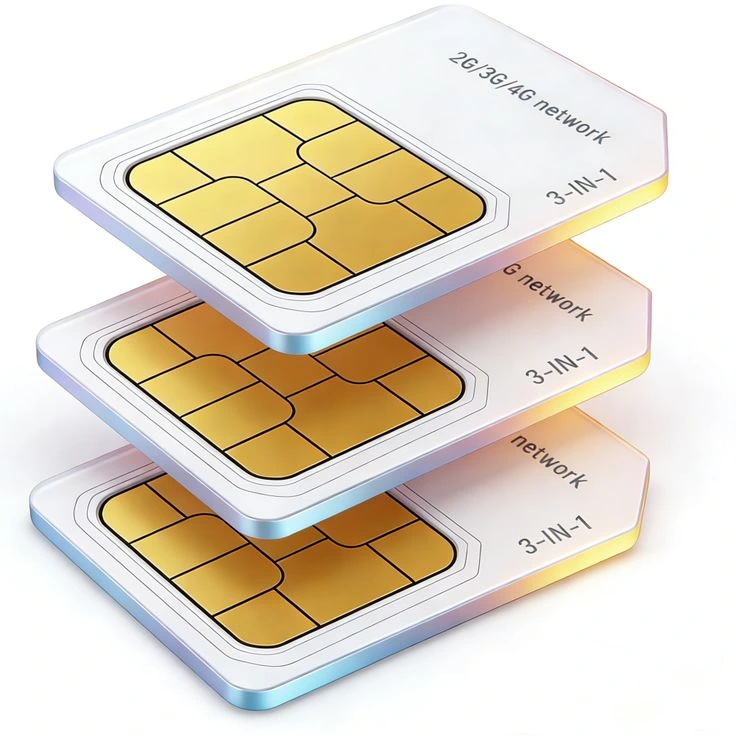
A local SIM may be convenient for calls, mobile data and communicating with accommodation or drivers. Buy through an authorised outlet and ask what identification and registration steps apply to your visitor status.
Travel eSIM
An eSIM can help you get data without swapping a physical card, but availability varies by device, provider and plan. Confirm that your phone is unlocked, eSIM-compatible and supported in Pakistan; some data-only plans do not include a local number.

International roaming
Roaming lets you continue using your existing number, which can be useful for banking verification or urgent calls. Check your carrier's rates, data limits and activation requirements to avoid unexpected charges.
Mobile Network Providers
Pakistan has several major mobile operators, including Jazz, Zong, Ufone and Telenor Pakistan. Coverage and performance can differ by neighbourhood, building, route and terrain; no single provider should be assumed to work everywhere.
Compare before choosing
- Coverage in the cities and regions on your itinerary.
- Data allowance, validity period and recharge options.
- Whether voice calls and SMS are included.
- Hotspot/tethering rules and fair-use conditions.
Check official channels
Provider websites and offers may change. Confirm the current brand, package terms and service availability using official channels rather than relying only on third-party package lists.
SIM Registration and Documents
Mobile SIM issuance in Pakistan is subject to local rules and identity verification. The documents and process required can vary for Pakistani citizens, overseas Pakistanis and foreign visitors. Do not assume that a passport alone will always be sufficient or that every retail shop can process every visitor category.
- Carry your passport and relevant entry or visa details when seeking a visitor SIM.
- Ask the operator or authorised service centre which documents and registration steps apply to you.
- Check the SIM is registered through the official process and that it works before leaving the service point.
- Keep your receipt and package information and never hand over your phone or identity documents to an unverified seller.
Coverage: Cities, Highways and Northern Areas
Mobile data is generally easier to find in major cities and populated towns than in remote valleys, high mountain passes, desert areas or isolated coastal stretches. Even where a signal appears on a map, service may be intermittent indoors or along a particular road.
In major cities
Expect a wider choice of networks and Wi-Fi locations in places such as Lahore, Islamabad and Karachi, though congestion and indoor reception can still affect performance.
In northern Pakistan
Coverage may become patchy outside larger towns and tourist centres. If you are heading to Hunza, Skardu, Naran, Kaghan, Swat or other mountain destinations, check with your accommodation or local guide about recent coverage along your specific route.
On road trips and remote routes
Do not depend on continuous mobile service for navigation or emergencies. Download offline maps, save important addresses and booking details and tell someone your planned route and expected arrival time.
Choosing a Data Package
Choose a package around how you actually use your phone. Navigation, messaging and light browsing usually require less data than video streaming, video calls, cloud backups or uploading large photo files. Package names, prices, allowances and validity periods change frequently, so compare the current terms before activating one.
Light use
- Messaging and occasional browsing.
- Map checks and booking confirmations.
- Use Wi-Fi for large downloads when safe.
Heavy use
- Video calls, streaming and photo uploads.
- Check hotspot allowances and fair-use rules.
- Monitor remaining data and package expiry.
Turn off automatic app updates and cloud photo backups over mobile data if you need to control usage. Set a data warning on your phone and check whether a package renews automatically.
Using Hotel and Public Wi-Fi Safely
Hotel, café and airport Wi-Fi can be useful for downloads and calls, but availability, speed and security vary. Ask staff for the correct network name instead of connecting to a similarly named open network.
- Keep your phone and apps updated before the trip.
- Use HTTPS websites and a trusted VPN if it is part of your normal security practice.
- Avoid accessing sensitive accounts on unknown shared devices.
- Enable a strong screen lock and device tracking before departure.
- Use your mobile connection for sensitive tasks if you do not trust the Wi-Fi network.
Never assume that a network is secure just because it is provided by a hotel or café.
Prepare for Places with Weak Signal
A few minutes of preparation can prevent a connectivity problem from disrupting a day of travel.
- Download offline maps for your route and destination.
- Save hotel addresses, reservation numbers and key contacts in accessible notes.
- Keep a power bank and charging cable with you.
- Download tickets, travel documents and essential confirmations for offline access.
- Agree on a meeting point and backup communication plan with your group.
- For remote travel, share your itinerary with someone who is not travelling with you.
Remember
Offline maps are a backup, not a guarantee that every road or trail is safe or open. Verify route conditions locally and follow official restrictions.
If Your SIM or Data Is Not Working
- Check that the SIM or eSIM is enabled and the correct line is selected for mobile data.
- Confirm that mobile data and data roaming are set correctly for your plan; roaming settings can matter for some travel eSIMs.
- Switch airplane mode on briefly and then off, or restart your phone.
- Check your balance, package validity and any activation message from the provider.
- Try selecting the network automatically, then follow the operator's official troubleshooting instructions.
- If registration or activation remains unresolved, contact the provider or visit an authorised service centre.
Avoid changing advanced network settings unless your provider instructs you to do so. Do not share verification codes or account passwords with anyone offering unofficial help.
Frequently Asked Questions
Can tourists buy a SIM card in Pakistan?
Visitors may have options to obtain local connectivity, but eligibility and documentation requirements depend on current rules and the visitor's circumstances. Confirm the process with an official operator or authorised service centre before purchase.
Which mobile network is best for travelling around Pakistan?
There is no single best network for every route. Compare current coverage for the places you plan to visit and ask your accommodation or local contacts about recent service in remote areas.
Will my international eSIM work in Pakistan?
It depends on the eSIM provider, plan, device compatibility and current network arrangements. Check Pakistan is explicitly included in the plan's coverage and read whether it includes data only or voice and SMS as well.
Will I have internet in Hunza or Skardu?
Service may be available in some towns and locations, but coverage can be intermittent or absent along parts of the route and in remote areas. Download offline maps and essential information before leaving a well-connected area.
Can I use hotel Wi-Fi for video calls?
Sometimes, but speed and reliability vary. If a call is important, test the connection ahead of time and keep a mobile-data or audio-only backup if available.
Where can I confirm current SIM rules?
Check the official website or authorised service point of your chosen operator and consult the Pakistan Telecommunication Authority for current regulatory information.
Useful Connectivity Resources
- Pakistan Telecommunication Authority (PTA) — telecom regulation and official public information.
- Jazz — packages and service information.
- Zong — packages and service information.
- Ufone — packages and service information.
- Telenor Pakistan — packages and service information.
Package details, coverage and registration policies can change. Verify the latest information directly with official sources close to your travel date.